

Documentation
MEP Legend Manager
Create MEP family legends and text tables for your Revit documentation.
- Revit
- Revit20222023202420252026
- Platform
- Windows · Autodesk Revit required
- Price
- Free
- Latest release
- v0.6.1.0
MEP Legend Manager combines family legend generation and text-table workflows in one Revit add-in.
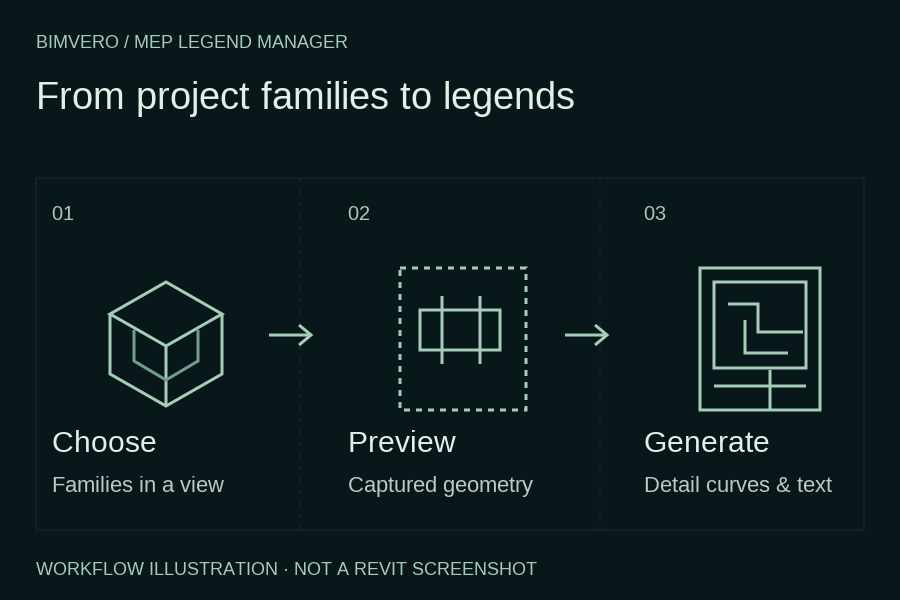
WHAT IT DOES
What you can do
MEP modelers and documentation teams preparing family legends and drawing tables.
- Create family legends from project views
- Preview captured family geometry
- Generate detail curves for legend documentation
- Create and edit text tables
- MEP equipment and device family categories, including sprinklers and all electrical devices
- Plumbing Equipment and Mechanical Control Devices in Revit 2023 and later
- Automatic discovery of loaded model-family categories
- Build documentation around family types used in the project.
- Review the captured representation before generating a legend.
- Create legend graphics and text tables within Revit documentation views.
Families from project views
Choose the source view and the family types to include in the legend.
Geometry preview
Capture and preview the family representation before generating documentation. Review orientation and scale.
Legend output
Generate detail curves and text for the selected legend layout; check the result in the destination view.
Text tables
Create and edit tabular text documentation. The Revit output uses text notes and detail lines.
- Start with
- An open Revit project, a source view with relevant families and an existing legend to use as a starting point.
- Output to review
- Legend documentation built from captured family geometry, detail curves and text; text tables for the target documentation view.
PREVIEWS
Workflow & examples
Workflow illustrations explain the tasks and outputs. They are labelled separately from any product captures.
IN PRACTICE
A typical workflow
- Open a saved project copy and create one empty Revit legend if the project has none.
- Choose a project source view and a small set of representative family types.
- Review captured geometry and the legend layout, then generate the documentation.
- Check detail curves, scale and labels in the destination view; create or edit a text table where needed.
Requirements for this workflow
- The family legend workflow needs an open project, rather than the family editor, and at least one existing legend.
- Captured geometry depends on the source family and view. Preview representative types before generating a larger set.
- Review generated text and detail curves before placing the documentation on sheets.
What you receive
Available installers are free. Sign in with a verified email address to download for your version of Revit. Free releases require no licence key or subscription.
Return to My add-ins for updates and other available Revit versions.
Questions about MEP Legend Manager
What should I do before creating the first legend?
Create one empty legend in Revit using View → Legends → Legend. The add-in uses an existing legend to start its named legend workflow.
Is the text table a Revit schedule?
The text-table writer creates text notes and detail lines. Treat it as documentation and review its content when project information changes.
Need a different workflow?
Explore custom Revit automation and BIM services for requirements beyond the published plug-ins.